FlipArtify - 2D Draw Animation
- 2.9
- Rating
- 1.00M
- Installs
- Free
- Price

 Analysis by App-foxy
FlipArtify - 2D Draw Animation is the kind of app I would recommend to someone who wants to try animation without first learning a full desktop program. My overall impression is positive but measured: it makes the first step into hand-drawn motion feel approachable, while its modest rating of 3.1 from around 11 thousand ratings suggests that the experience is not equally satisfying for everyone. I can see why it has passed the one-million-install mark, though. Its appeal is immediate: open a blank canvas, draw an idea, and start thinking in frames instead of static pictures.
What makes it interesting in the Art & Design category is that it focuses on the connection between drawing and movement. Rather than treating animation as something reserved for professional software, it gives casual creators a place to experiment on a phone or tablet. The app is free to start, is rated for Everyone, and comes from CEM SOFTWARE LTD. That combination makes it easy to try with a child, a student, or a friend who has never animated before.
How FlipArtify feels when you actually use it
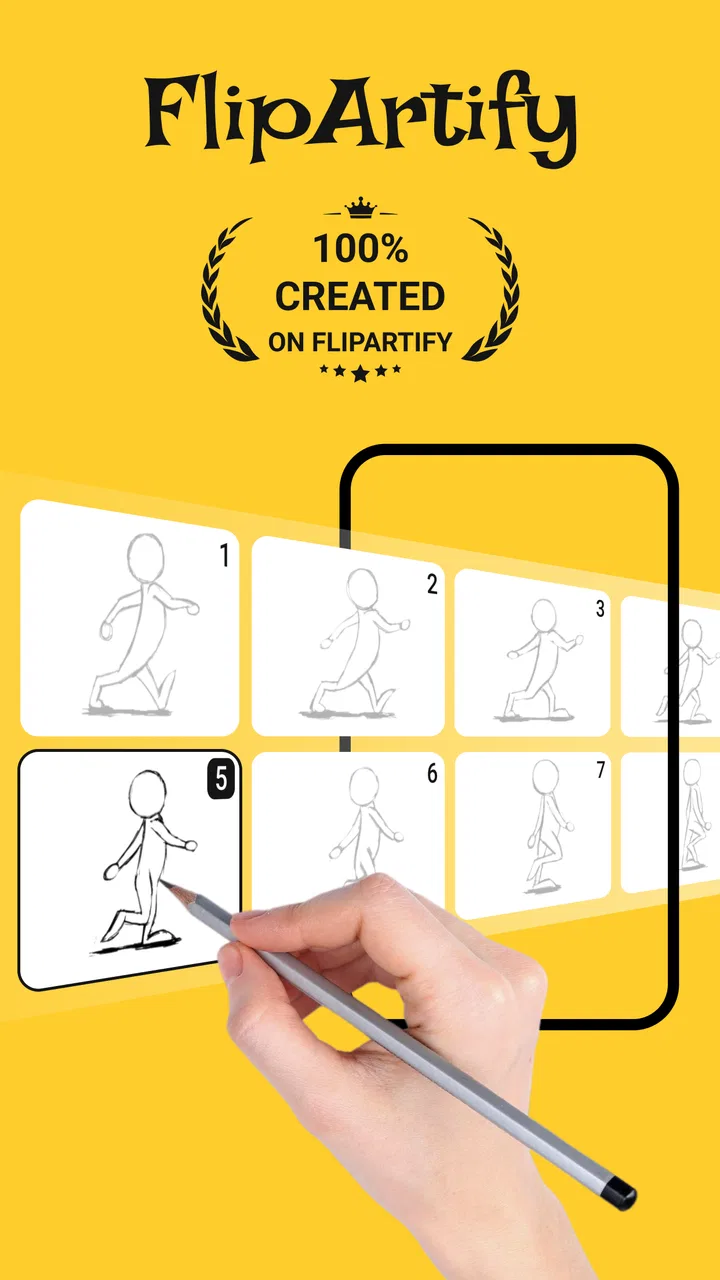
The first thing I noticed is that the app’s value depends less on producing polished artwork and more on helping you understand timing. A drawing that looks ordinary on its own can become expressive when a hand moves slightly, a face changes between frames, or an object shifts position. FlipArtify encourages that way of thinking naturally. I found myself paying attention to small changes rather than trying to make one perfect illustration.
You May Also Like

 Blood Strike: 2.5 Anniversary
Blood Strike’s Loadouts Turn Every Drop Into a Tactical Gamble
A close look at Blood Strike’s custom loadouts: how fast access to signature weapons reshapes its battle royale rhythm, rewards preparation, and narrows the gap between fights.

 Pandora - Music & Podcasts
Pandora’s Music Is Easy to Start, but Harder to Recover
Pandora’s strength is its low-effort path from a seed to a station. Its weak spot is how much confidence it asks you to place in connection, setup, and quiet recovery.

 8 Ball Pool
 Is Built on Rivalries, Rematches, and Routine
A close look at the rivalries, rematches, shared routines, and unanswered safety questions that turn a quick pool match into a persistent mobile community.

 Samsung Music
’s Quiet Strength Is Playing What You Already Own
Its reach comes less from spectacle than from dependable access to a personal library. That simplicity is both the app’s strongest retention engine and its ceiling.

 AccuWeather: Weather Radar
AccuWeather Review: A Quick, Clear Forecast for Everyday Decisions
For everyday plans, the best forecast is the one you can understand quickly. AccuWeather makes rain timing, radar, and local conditions easy to act on, with a few trade-offs.

 Hill Climb Racing
Why Hill Climb Racing Still Turns Crashes Into One More Run
A tiny car, a bumpy hill and one more upgrade: Hill Climb Racing keeps resurfacing because its simple chaos makes every near-miss feel personal.
More From Our News Desk



That is a useful distinction. A conventional drawing app is usually judged by its brushes, layers, color tools, and export workflow. Here, the important question is whether the app makes it comfortable to build a sequence. If your goal is a quick animated sketch, a reaction, a simple character movement, or a visual explanation, the frame-by-frame approach is more relevant than having an enormous collection of artistic tools.
I would not describe it as a replacement for a serious professional animation suite. It is better understood as a lightweight creative workspace for learning, experimenting, and making short ideas visible. The store summary promises effortless animation, but in practice the “effortless” part applies most to starting, not necessarily to refining. Drawing several consistent frames still requires patience, and the app cannot remove the basic craft involved in animation.
The strongest reason to try it
The strongest evidence in its favor is how quickly a beginner can move from a blank screen to a moving concept. You do not need to begin with a finished character sheet or a carefully planned short film. A bouncing dot, a blinking face, or a line that changes shape is enough to understand the basic relationship between frames. That low-pressure entry point is more valuable than it sounds because many animation tools intimidate new users before they create anything.
I also like the way this kind of workflow encourages rough drafts. In ordinary illustration apps, I often spend too long correcting a single image. With animation, the better habit is to block out the action first and worry about polish later. FlipArtify is most useful when I treat it as a sketchbook for motion. The goal is not to make every frame beautiful; it is to see whether the movement communicates.
A practical tip is to begin with only one moving element. For example, draw a simple face and change just the eyes or mouth across the sequence. This makes it easier to identify whether the problem is the drawing itself or the timing. Once the movement reads clearly, add a second element. That workflow prevents the common beginner mistake of redrawing an entire complicated scene for every frame.
Small projects where it makes sense
I can imagine using the app for a short visual message rather than a long animation. A student could create a tiny diagram showing how an object changes position. Someone planning a social post could test a visual gag before committing to a larger project. A parent and child could make a simple flipbook-style character together, with the child drawing the changes and the adult helping organize the sequence.
Another useful scenario is idea testing. Suppose I want to animate a character waving, but I am unsure whether the pose will read clearly. I can make a rough sequence with exaggerated movement, watch it back, and discover whether the hand, arm, and body are understandable. That is faster than polishing a still image that may not work once it moves. For this purpose, the app functions as a motion notebook.
It can also help someone decide whether animation is worth pursuing before buying a more specialized tool. Since the app is free to download and suitable for Everyone, the barrier to experimentation is low. The free starting point matters here: beginners can discover whether they enjoy frame-by-frame work before spending money on a larger creative setup.
Where the experience becomes demanding
The main weakness is the same thing that gives the app its charm: drawing frame by frame can become repetitive. If you want a longer sequence, consistency becomes difficult. A character’s head may change size, a line may drift, or an object may jump because the new frame was drawn slightly differently. These are not unusual animation problems, but a beginner may blame the app when the real issue is the discipline required by the method.
This is where I would set expectations carefully. FlipArtify can help you create motion, but it does not turn rough drawings into professional animation automatically. If your priority is advanced control, highly precise editing, complex scenes, or a production-ready workflow, a dedicated animation application on a larger screen will probably be a better choice. The phone format is convenient for quick ideas, yet it can feel restrictive when a project needs many elements to stay aligned.
I would also avoid starting with a detailed background. Backgrounds create extra work because every frame must preserve the same visual structure. A better approach is to use a plain setting until the action works. Then add only the background details that help the viewer understand the scene. This is one of the most important trade-offs I found: simplicity improves both speed and clarity.
The app’s average rating also deserves a realistic interpretation. A 3.1 average is neither a reason to dismiss it nor a signal to install without expectations. It tells me that the concept attracts many users, but the execution may not satisfy every type of creator. Someone looking for a simple animation sketchpad may be happy, while someone expecting the polish and depth of a mature professional tool may feel limited quickly.
Useful habits for better results
My first recommendation is to plan the key poses before filling in the in-between frames. Even a tiny action becomes easier when you decide where it starts, where it reaches its strongest position, and where it ends. For a bouncing ball, that might mean contact with the ground, the highest point, and the next contact. Once those moments are clear, the smaller changes have a purpose instead of becoming random redraws.
My second recommendation is to exaggerate movement during early tests. A very small change may technically animate but still look frozen when played. Larger differences make it easier to judge whether the sequence works. After the motion reads, I can reduce the exaggeration if I want a calmer result. This is a better use of time than trying to create subtle, polished frames before confirming the idea.
My third tip is to keep a project deliberately short at first. A short loop reveals problems quickly and gives a satisfying result without turning practice into a chore. Once I can make one action repeat cleanly, I can try combining two actions, such as a character turning its head while raising a hand. That progression teaches more than starting with an ambitious story and abandoning it halfway through.
I would also use a naming or planning system outside the artwork itself if I were working on several ideas. A quick note describing the action, the number of key poses, and the intended mood can prevent confusion later. This may sound basic, but animation projects become difficult when every frame is treated as an isolated drawing. The sequence should be thought of as one performance made from several images.
How it compares with familiar alternatives
Compared with a standard drawing app, FlipArtify is more useful when the question is “how does this change over time?” A drawing app may offer a richer painting experience, but it does not necessarily encourage motion as the central goal. If I only want to make a finished illustration, I would choose the drawing-focused option. If I want to see a sketch blink, move, or transform, FlipArtify is the more direct fit.
Compared with a professional animation program, it is easier to approach but less suitable for demanding production work. A larger, more advanced alternative will generally make more sense for someone who needs detailed control and a carefully managed workflow. FlipArtify wins when convenience and experimentation matter more than depth. I would choose it for a quick concept on a mobile device, not for a complex commissioned animation.
It also occupies a useful middle ground between a paper flipbook and a full digital studio. Paper is wonderfully immediate, but revising and sharing a sequence can be awkward. A professional digital tool can do far more, but it may slow down a beginner with too many controls. FlipArtify’s appeal is the compromise: enough structure to explore animated drawing, without requiring a serious commitment at the start.
Who will enjoy it, and who should skip it
I think it is best for beginners, casual artists, students, and anyone who wants to test a visual idea quickly. It is also a sensible option for people who learn by doing. Rather than watching tutorials about timing in the abstract, you can draw a few frames and immediately see why spacing and exaggeration matter.
It may suit children and families because the age rating is Everyone, but I would still guide younger users through the process. The creative concept is accessible, yet frame-by-frame work can become frustrating if a child expects a finished cartoon after a few strokes. Short, playful exercises are a better introduction than asking for a complete story.
I would skip it if your main interest is painting, photo editing, or producing highly polished illustrations. Animation is not an incidental feature here; it is the reason to use the app. I would also look elsewhere if you need a dependable professional pipeline, extensive scene management, or the comfort of a large desktop workspace. The right audience is someone who values immediacy and learning over maximum control.
Cost, support expectations, and version details
The app is free, which makes trying it straightforward, but optional in-app purchases range from $2.99 to $29.99 per item. I would approach those purchases gradually rather than paying immediately. First, I would confirm that the drawing workflow feels comfortable and that it supports the kind of animation I actually want to make. A free starting point is useful, but the value of any paid item depends on whether it solves a real limitation for my projects.
FlipArtify is currently at version 1.6.0 and requires Android 7.0 or later. It was released on June 13, 2024, so it is still a relatively recent entry rather than a long-established creative standard. That does not automatically make it better or worse, but it reinforces my view that users should treat it as an approachable tool to evaluate on their own device, not as a guaranteed substitute for every animation need.
The developer, CEM SOFTWARE LTD, has created something with a clear and understandable purpose. The challenge is that an approachable concept still needs a smooth enough workflow to keep users engaged once the novelty fades. My advice is to judge it by a small real project: animate a simple action, revise it once, and see whether the process feels encouraging or tedious. That test will tell you more than the store summary alone.
My final recommendation
FlipArtify is worth trying when your goal is to learn the basics of hand-drawn motion through small, personal projects. I like its low barrier to entry, its focus on turning sketches into movement, and the way it encourages experimentation without demanding a professional setup. The strongest results come when I keep scenes simple, plan key poses, and treat each animation as a short study rather than a finished film.
At the same time, I would not recommend it blindly to every artist. The frame-by-frame process can be repetitive, detailed work may become awkward on a mobile screen, and the middling user rating suggests that the experience has meaningful friction for some people. If you need advanced production control, a more specialized alternative is the better investment. If you want a friendly place to test whether animation clicks for you, the free download makes that experiment reasonable.
My verdict is cautiously favorable: this is a useful beginner’s animation sketchbook, not a complete studio. Install it when you want to make a moving doodle, test a character action, or learn why timing matters. Skip it when your priority is polished illustration or complex professional output. Used with modest expectations, it can turn a few rough drawings into a surprisingly effective first step toward animation.
FAQs for FlipArtify - 2D Draw Animation
01What is FlipArtify - 2D Draw Animation?
FlipArtify is a creative app designed for artists and animators of all skill levels. It allows users to create 2D animations using a simple, intuitive interface. With a variety of drawing tools, layers, and frame-by-frame animation capabilities, FlipArtify is perfect for both beginners and experienced animators looking to bring their ideas to life.
02What are the key features of FlipArtify?
FlipArtify offers a range of features including various brush types, adjustable opacity, and layer support for complex animations. Users can also utilize onion skinning to view multiple frames at once, making it easier to create fluid motion. Additionally, the app supports exporting animations in multiple formats, making sharing and further editing easy.
03Is FlipArtify suitable for beginners?
Absolutely. FlipArtify is designed with an intuitive user interface that caters to both beginners and experienced users. It includes tutorials and tips to help new users get started with creating their first animations. The app’s straightforward design makes it easy to learn the basics while still offering advanced tools for more experienced animators.
04Are there any limitations to using FlipArtify for free?
The free version of FlipArtify provides access to basic tools and features. However, some advanced tools and additional features may require in-app purchases or a subscription. This includes extra brush types, additional export formats, and extended storage options. Users can choose to upgrade if they find themselves in need of these enhanced features.
05What devices are compatible with FlipArtify?
FlipArtify is available on both Android and iOS platforms, making it accessible on a wide range of smartphones and tablets. The app is optimized to run smoothly on most modern devices, but for the best experience, it is recommended to use a device with up-to-date hardware and software to handle the animation tools efficiently.
Pros
- User-friendly interface for beginners.
- Wide range of drawing tools available.
- Supports layers for complex animations.
- Export options for various formats.
- Regular updates with new features.
Cons
- Limited free version features.
- Occasional lag on older devices.
- Requires internet for cloud save.
- Ads can be intrusive in free version.
- In-app purchases can be expensive.

FlipArtify - 2D Draw Animation
Gallery